 Karsenia
A desktop home for Claude Code
Karsenia runs the claude CLI headless and gives it a chat window of its own: a native desktop app with no browser and no network listener, or a local web page.
Needs Claude Code (claude) on your PATH. The Windows .exe is not signed, so SmartScreen may warn. A checksum file and a self-sign script come in the zip.
Why Karsenia
What a terminal makes hard
Long agent runs are hard to follow in one terminal buffer. Karsenia keeps the same Claude Code and adds a window around it.
Hard to scroll back and copy
Approvals slip by
Cost and limits are invisible
Accounts and branches collide
What you get
Six things it does
Real chats
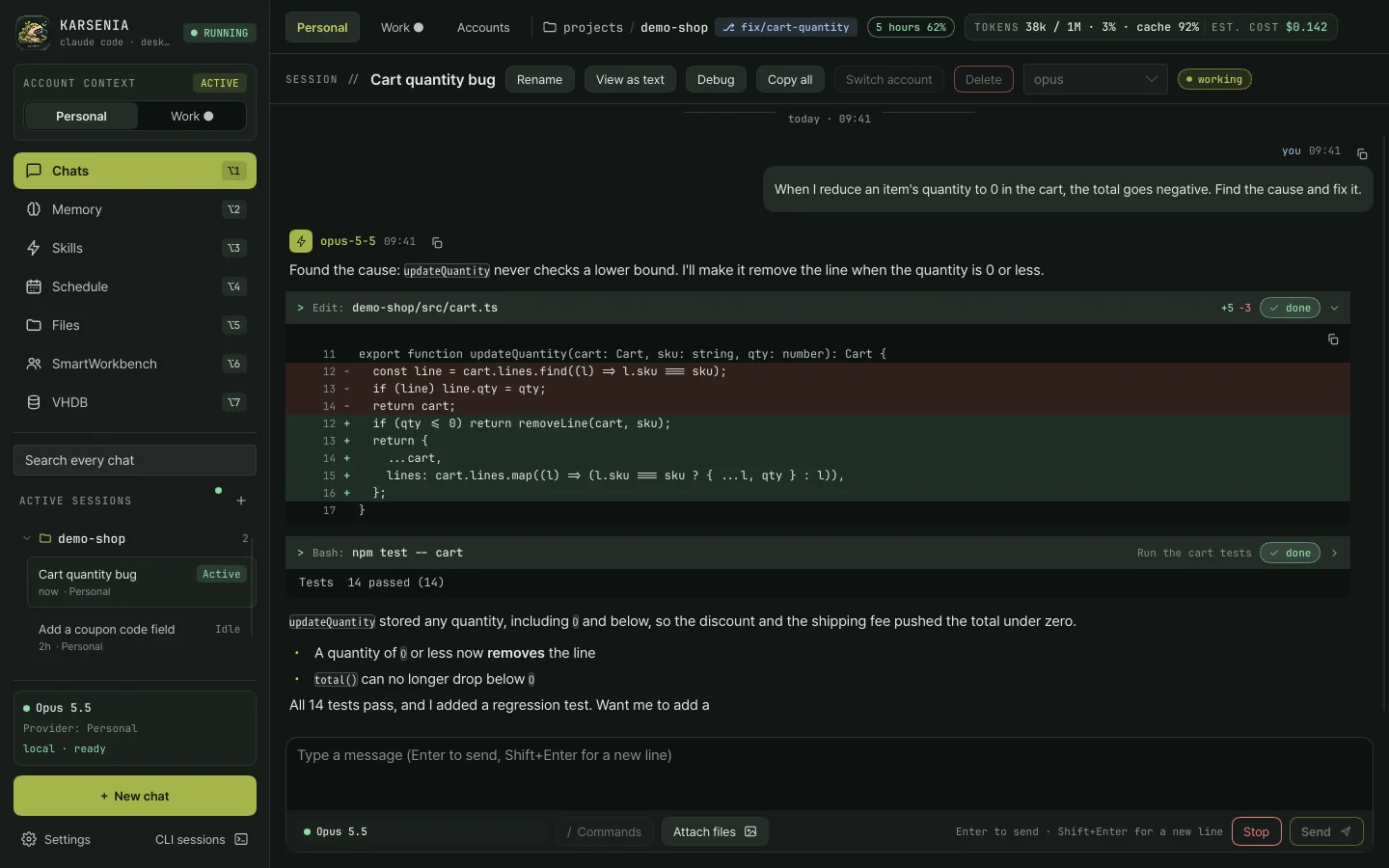
One claude process per chat across many turns: streaming text, images, tool cards with input and result, sub-agents nested under their card, thinking lines, tables, and reopen or resume after a restart.
Permissions stay yours
Karsenia starts claude with --permission-prompt-tool stdio. Before a chat starts in a project, it reads the project’s own Claude Code settings and asks first if they can run commands.
Workbench and team mode
A per-chat workbench — goal, constraints, pins, done conditions, guard rules and a team mode with explorer and advisor sub-agents — handed to the model and enforced with a guard hook.
Usage and budgets
Limits come from what a running claude reports and can be refreshed with its own /usage. Optional daily and monthly budgets across all accounts, with a notice near them.
Accounts and worktrees
Several logins kept apart; Codex logins can be managed too, though chats run through Claude Code only. Chats can run in their own git worktree.
Files and live view
A project file tree and editor, and a read-only local web page of what the chats do: prompts, tool calls with risk and guard marks, tokens. Bound to 127.0.0.1, secrets masked.
New since v0.1.1: a Board page with one line per chat of every account (state, waiting questions, worktree changes and merge state, cost, warning signs), archive instead of delete, per-project defaults with a recent-projects list, and project trust that can be remembered per project and account. Also: memory notes you approve, skills with a risk report and version history, full-text search over all chats, scheduled tasks, Anthropic-compatible providers and gateways, and a Windows tray with notices. The full list is in the README.
Accounts and gateways
Personal, work and your own gateway — in one window
Keep several logins apart, and point a chat at an Anthropic-compatible gateway, a company proxy or a local server, without editing environment variables by hand.
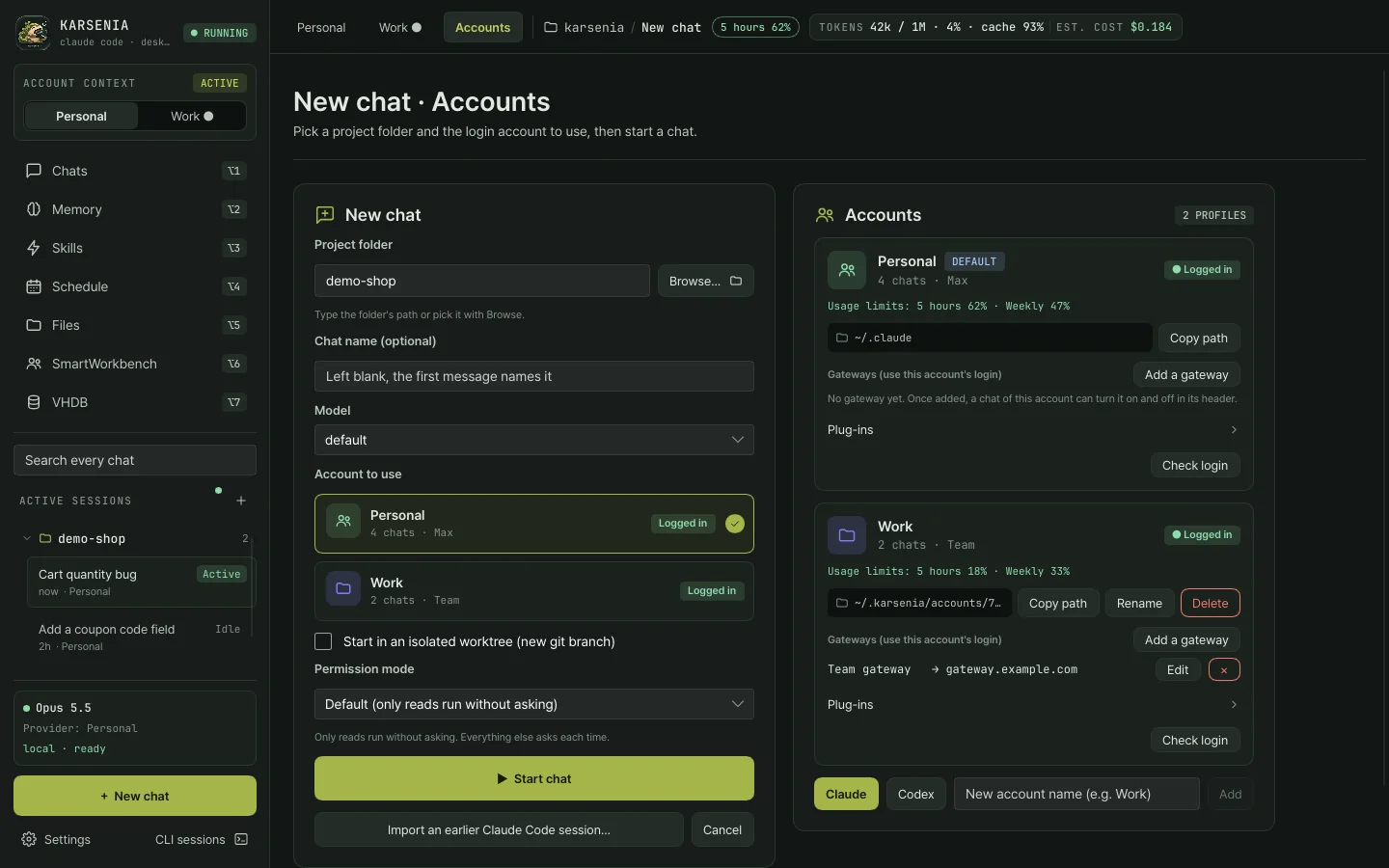
Several accounts, kept apart
- The login
claudealready has is the default account. Add more (up to 8) and pick one in the new-chat form; a chat keeps its account for life. - Each account has its own folder for the CLI, its own notes, skills and history index, and its own usage limits and cost.
- Sign-in is done by the
claudeprogram itself; Karsenia never reads, receives or stores a token or a code. The Accounts box shows the command to run. - Removing an account asks first and deletes its login, notes, skills and history index.
- A chat can also run in its own git worktree, so two accounts do not touch the same checkout.
Gateways and model providers
- Point a chat at another Anthropic-compatible address — a gateway, a company proxy or a local server — instead of your Claude account. Give a name, an address (https; plain http only for your own computer), how the key is sent, the key and optional model names.
- A gateway that wants its key in a header of its own can get request headers, with
{key}where the key goes. - Or set a gateway to use an account’s login: the chat then belongs to that account and is listed under its tab with the gateway shown as a tag.
- A provider chat runs in a settings folder of its own, so the account’s credentials are out of the CLI’s reach, and a chat keeps its provider for life.
- An experimental option runs a provider chat inside a docker or podman container.
See it
The real app
Screenshots of the desktop app (v0.1.4) with a made-up demo project. No real accounts, keys or paths are shown.
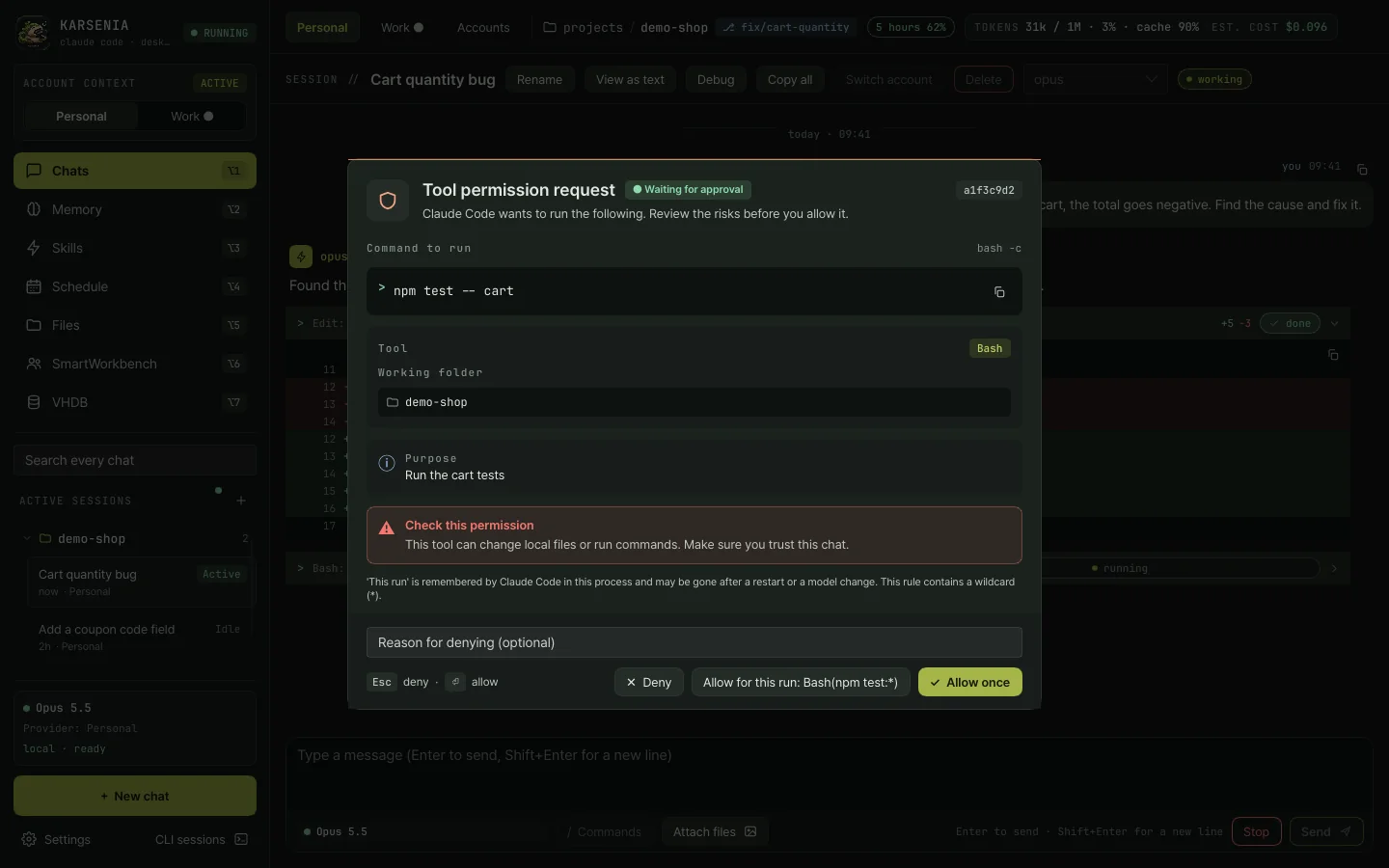
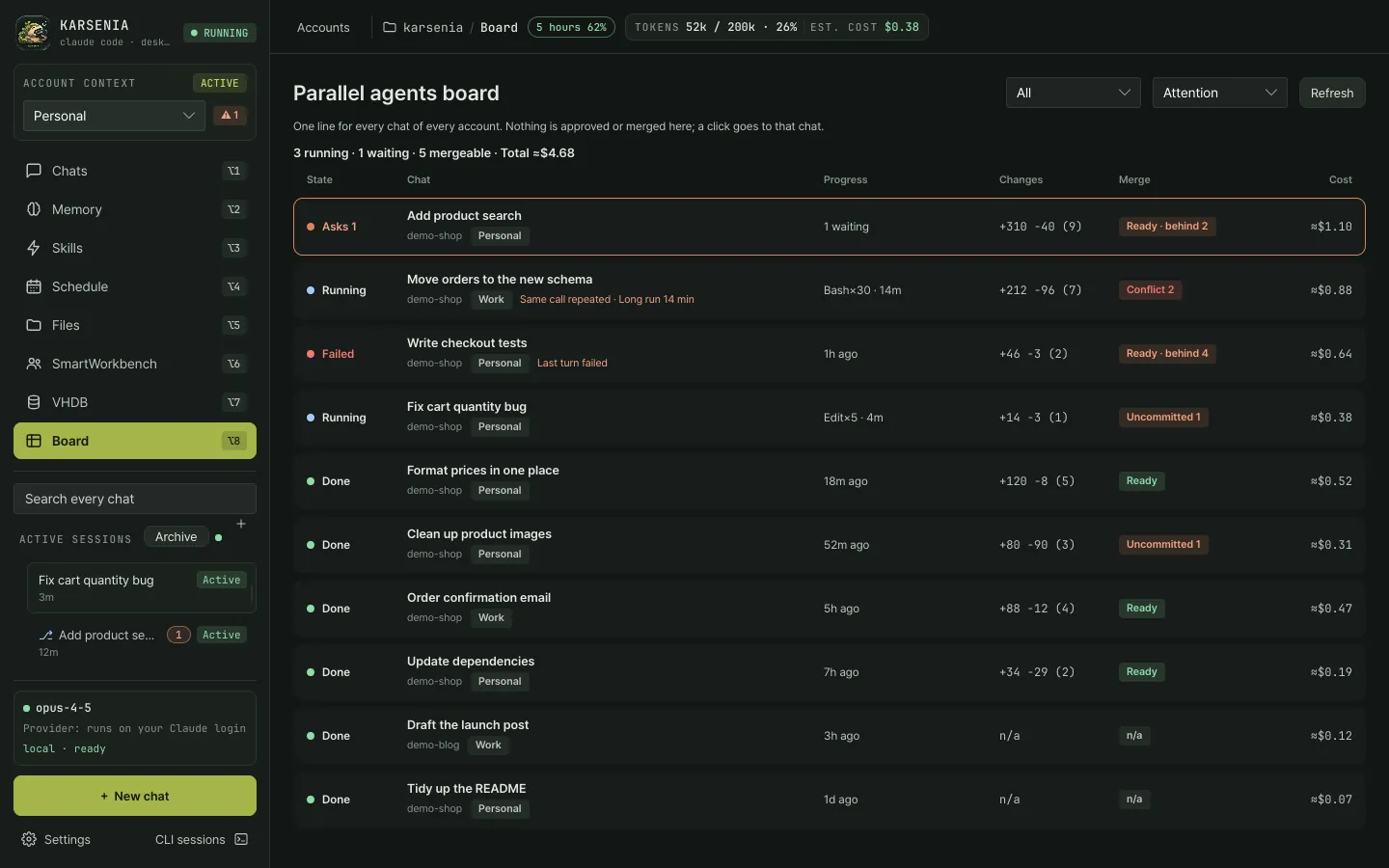
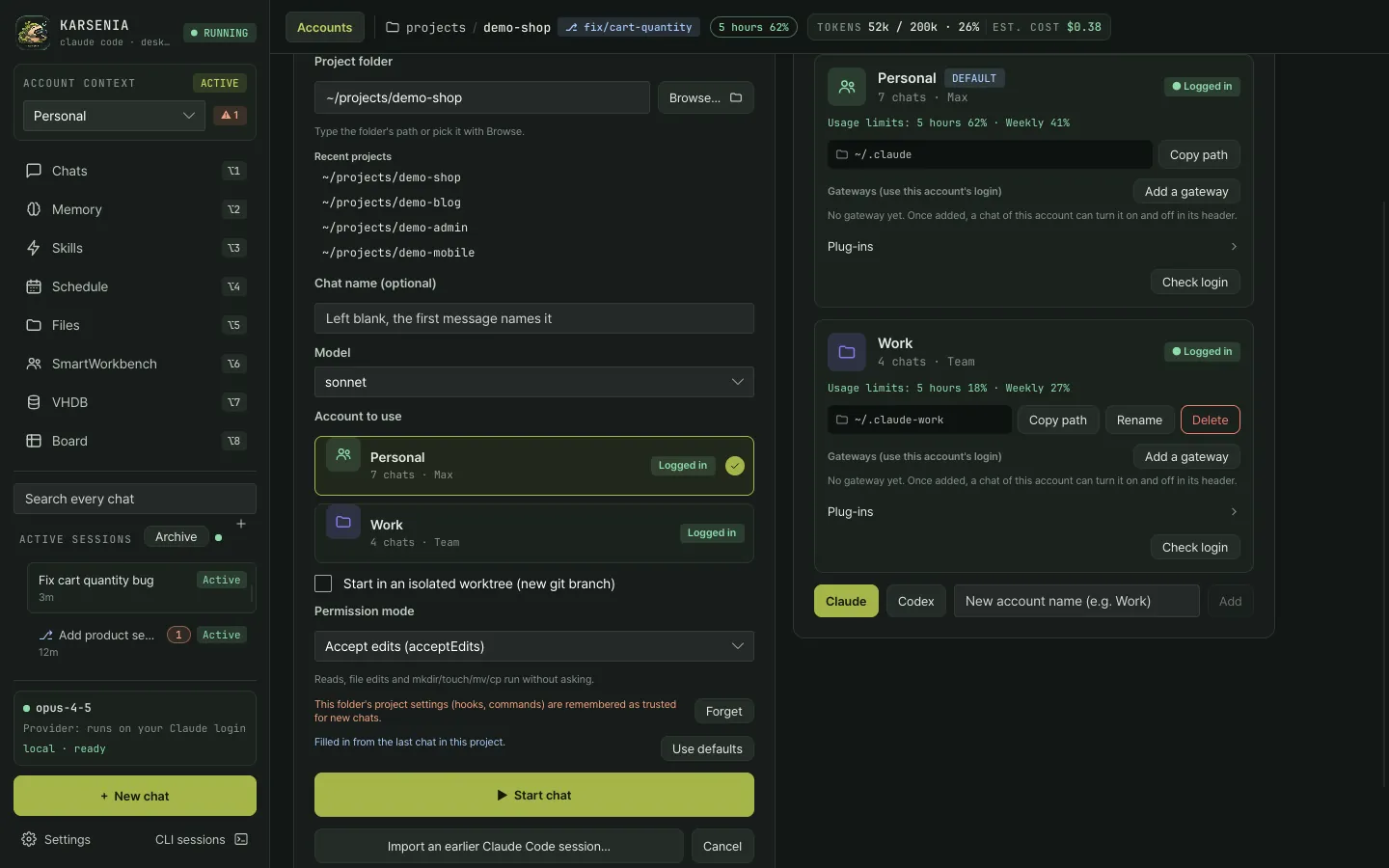
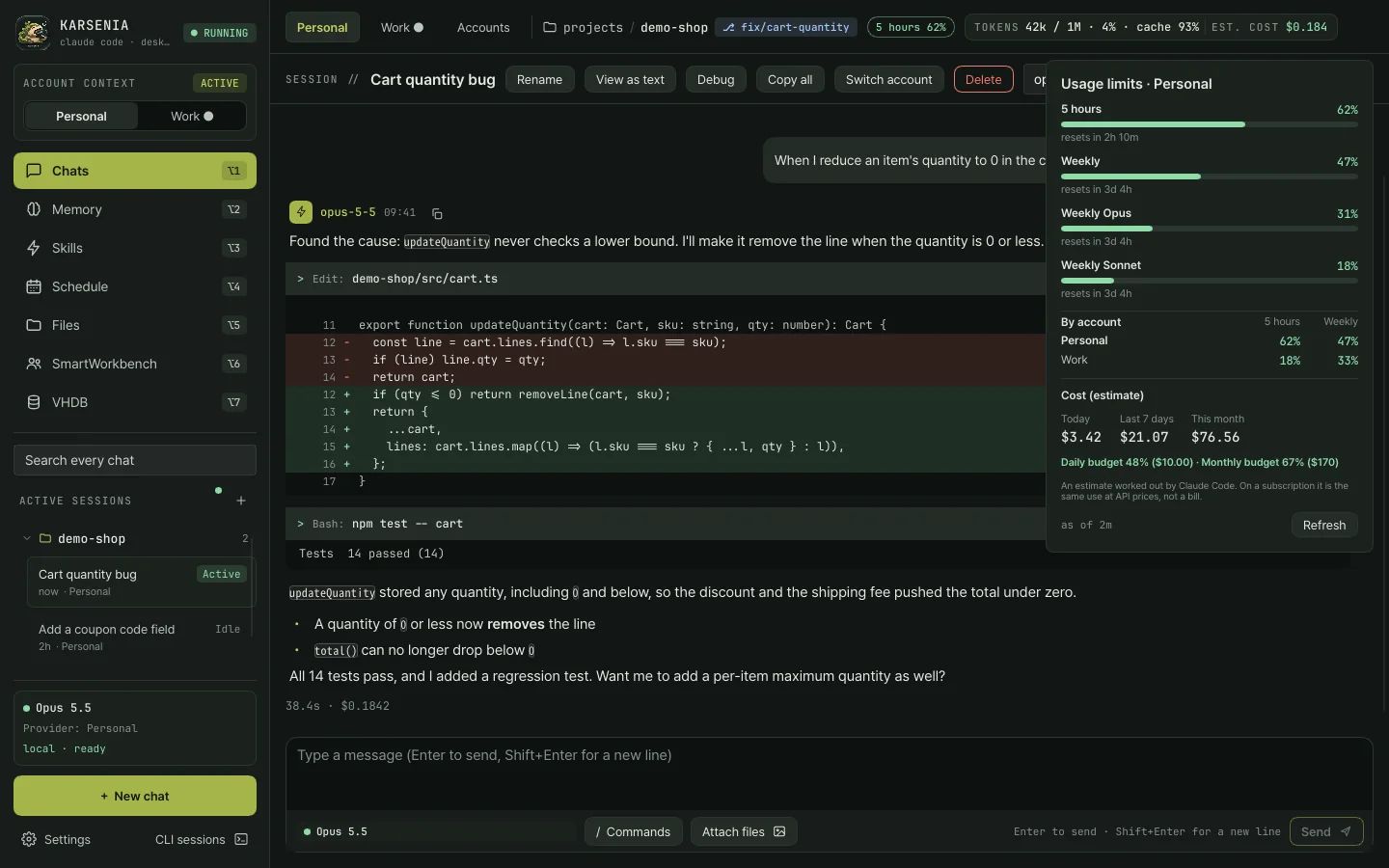
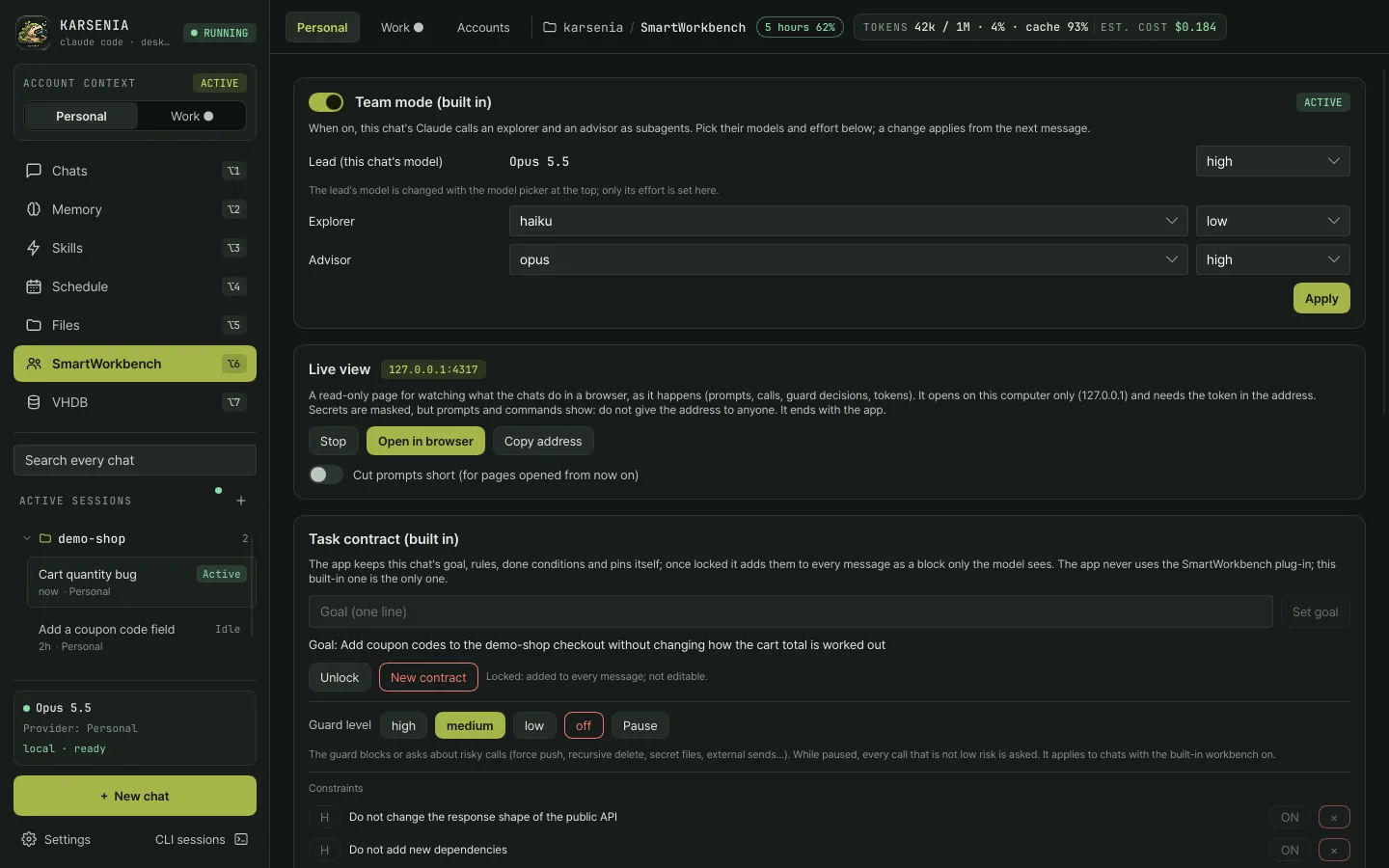
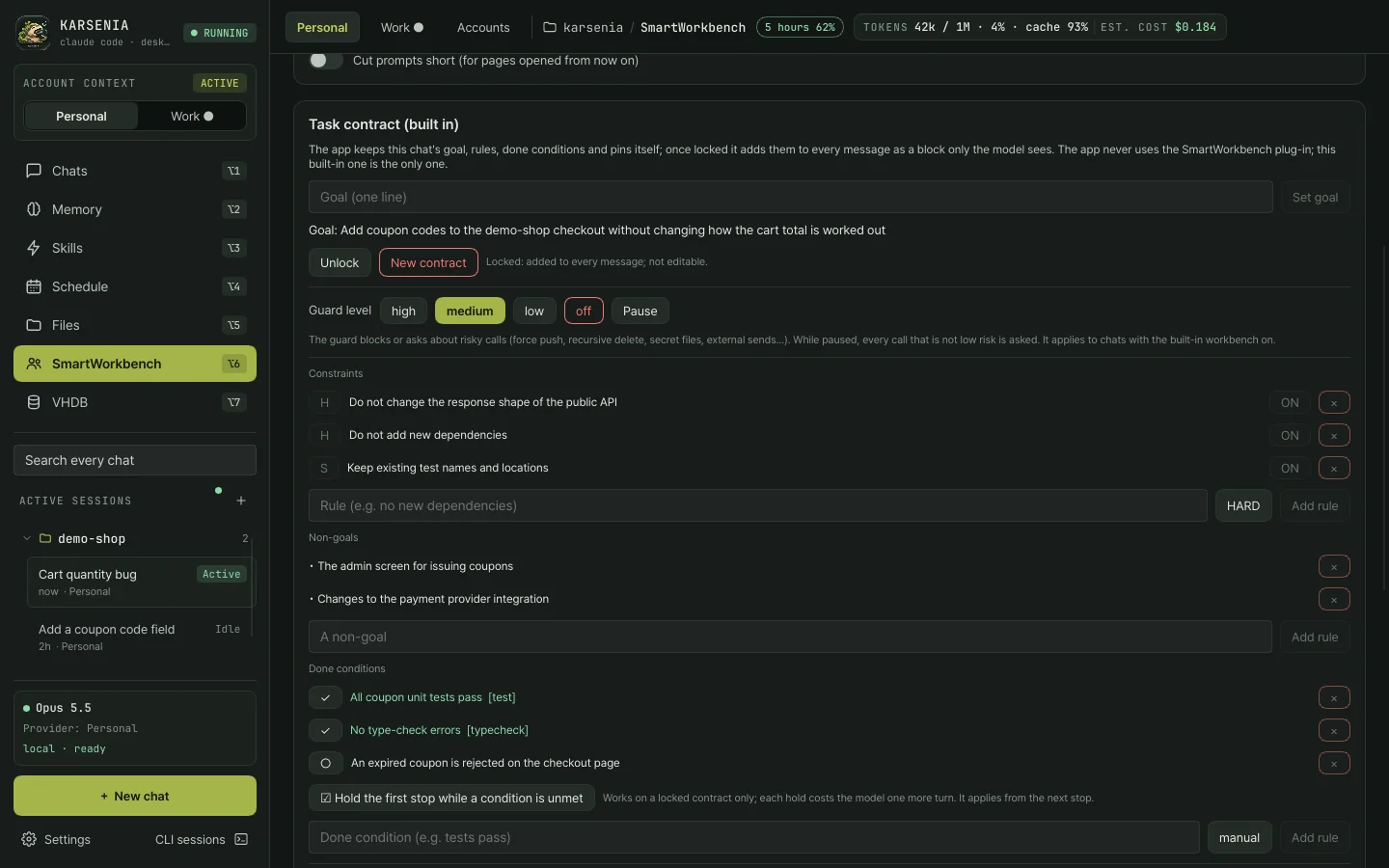
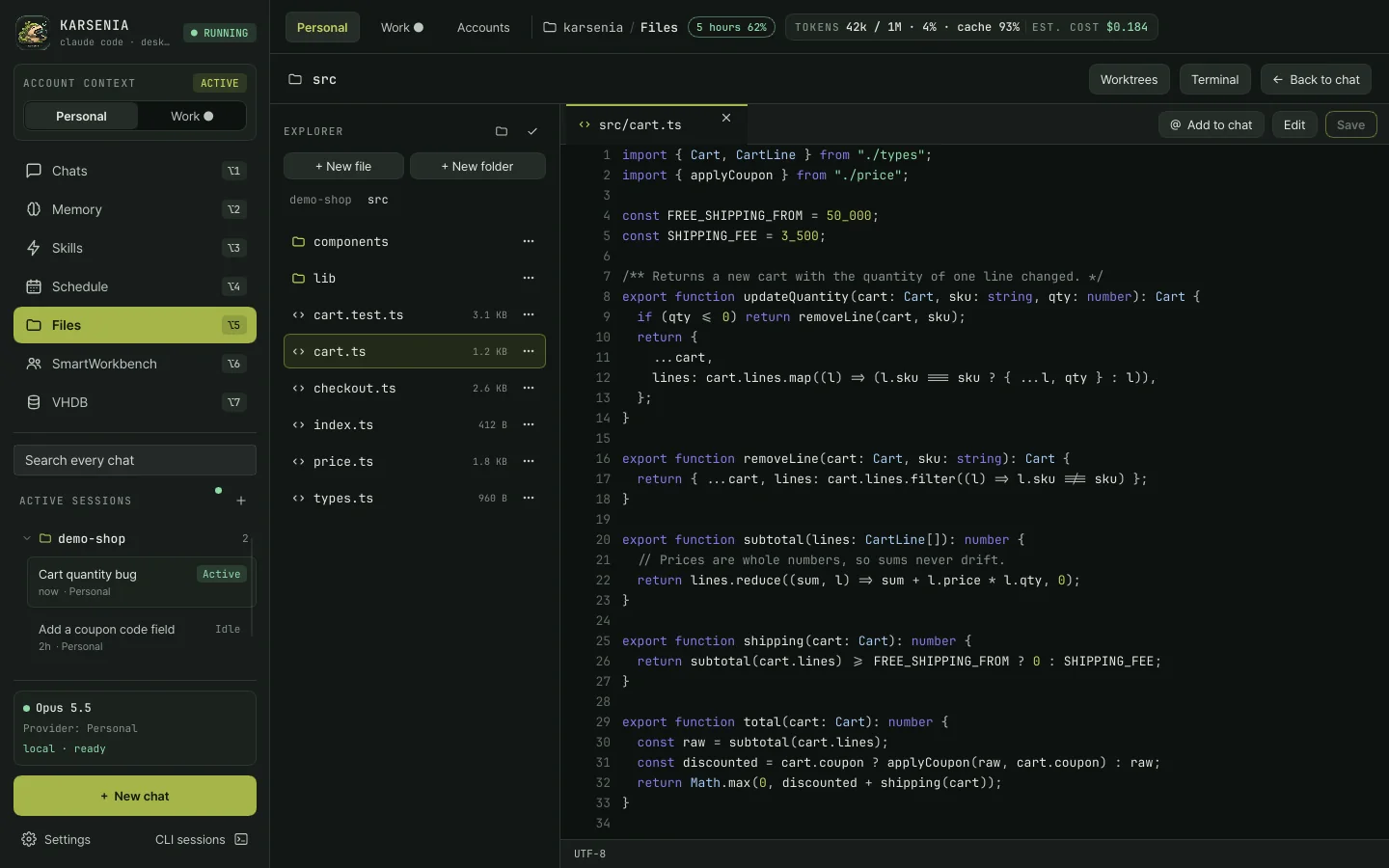
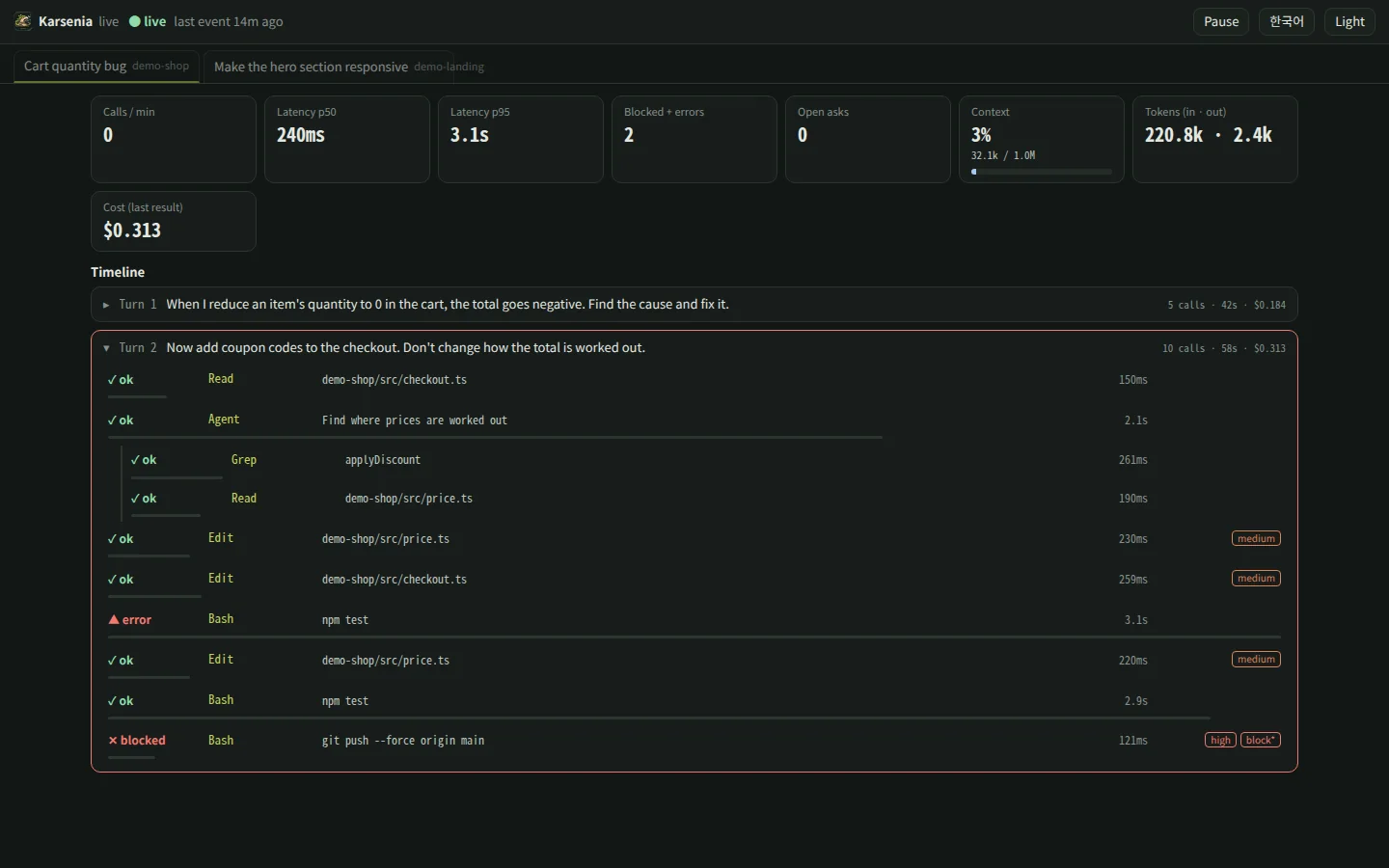
Rendered on Linux, so fonts differ slightly from Windows. Some labels in the app are still English in the Korean interface, and the team tab is named “SmartWorkbench” in the app itself.
Under the hood
A thin host around the real CLI
Karsenia does not reimplement Claude Code. A Rust core runs the claude program and passes messages both ways.
Window
Native desktop app (Slint) or a local web page
Karsenia core
Rust: sessions in SQLite, permission gate, guard hook, usage and cost
claude CLI
Claude Code itself, with your own login
Not a sandbox
The app can run commands through Claude Code, so treat it like a terminal and open only projects you trust.Project check
Before a normal chat starts, the host checks three of the project’s Claude Code settings files and asks first. This lowers the risk; CLAUDE.md, skills and parent folders are not checked.Where data lives
Sessions and settings are in~/.local/share/tenrec. The folder keeps the old app name (Tenrec) so nothing already saved is lost.Get started
Quick start
On Windows, download the zip, unzip it and run karsenia-desktop.exe. Elsewhere, build from source with Rust.
Requires: Claude Code (claude) on PATH. To build: Rust stable and a C compiler.
Windows download
Get karsenia-desktop-0.1.5-windows-x86_64.zip from the latest release and check it against the .sha256 next to it. The .exe is not signed: SmartScreen or a company security product may warn. sign-windows.ps1 in the zip signs it on your own PC with a self-signed certificate, which makes the file tamper-evident but does not make a security product trust it. Do not get around a company’s security product; ask its administrator to allow the file.
macOS (experimental): karsenia-desktop-0.1.5-macos-universal.zip is a universal app (Apple silicon and Intel) that GitHub Actions compiled and packaged, but nobody has run it on a Mac yet. It has only an ad-hoc signature and is not notarized, so macOS asks you to allow it (right-click, then Open). Notifications and the tray icon are not available on macOS.
Slash commands
The composer’s “/” menu lists these built-ins and the chat’s skills and plug-in commands. A command is sent alone so Claude Code runs it itself.
/compactcompact the context/contextshow context use/costshow cost/usagerefresh usage limits/modelswitch the model/clearclear the chat
Security
Local only, and honest about limits
Karsenia is built to stay on your machine. It is still early software that can run commands, so read this before opening a project.
Bound to 127.0.0.1
The web server listens only on 127.0.0.1, checks Host and Origin, and needs a token.
No listener by default
The native desktop app opens no port until you switch on the live view, which listens on 127.0.0.1 only, read-only and token-protected.
Your login stays with claude
Karsenia does not store a claude.ai login or subscription token itself; the claude program keeps its own.
A gateway sends your login
A gateway set to use an account’s login sends that login to the address you gave it. Use it only for an address you trust.
.claude/settings.json (hooks, env) applies to a normal chat once you trust it. Open only projects you would run claude in.FAQ
Questions
Do I need Claude Code installed?
Yes. Karsenia starts the claude program, so it has to be on your PATH.
Is it safe to open any project?
No. Karsenia checks the project’s Claude Code settings first and asks, which lowers the risk, but it is not a sandbox. Open only projects you trust.
Which systems does it run on?
Prebuilt downloads exist for Windows (x64) and, experimentally, macOS (universal) — nobody has run the macOS build on a Mac yet. On Linux you build it from source with Rust. The ~900-test suite runs on Linux before each release; Windows has no automated tests, only hand use.
Why is it called Tenrec in some places?
The app was called Tenrec before it was renamed. The data folder, the TENREC_* variables, the web server program, the MCP name and the worktree branch names keep the old name so nothing already saved is lost.
What is the license?
From version 0.1.5 the program is licensed GPL-3.0-only (the desktop UI library Slint is used under its GPLv3 option, and the files that are Karsenia’s own stay MIT-compatible). Versions up to 0.1.4 were released under MIT with Slint’s Royalty-free Desktop License. The fonts (Pretendard, JetBrains Mono) are under the SIL Open Font License, and the zip carries the license texts of all dependencies.
Early release
Try Karsenia with Claude Code
v0.1.5 is early: the Linux test suite is large, Windows has been checked by hand only and the macOS build not at all. Expect rough edges.